

xTool Screen Printer: 1st Screen Printing Solution with Laser
Η τιμή δεν περιλαμβάνει ΦΠΑ. Ο ΦΠΑ υπολογίζεται στο ταμείο.
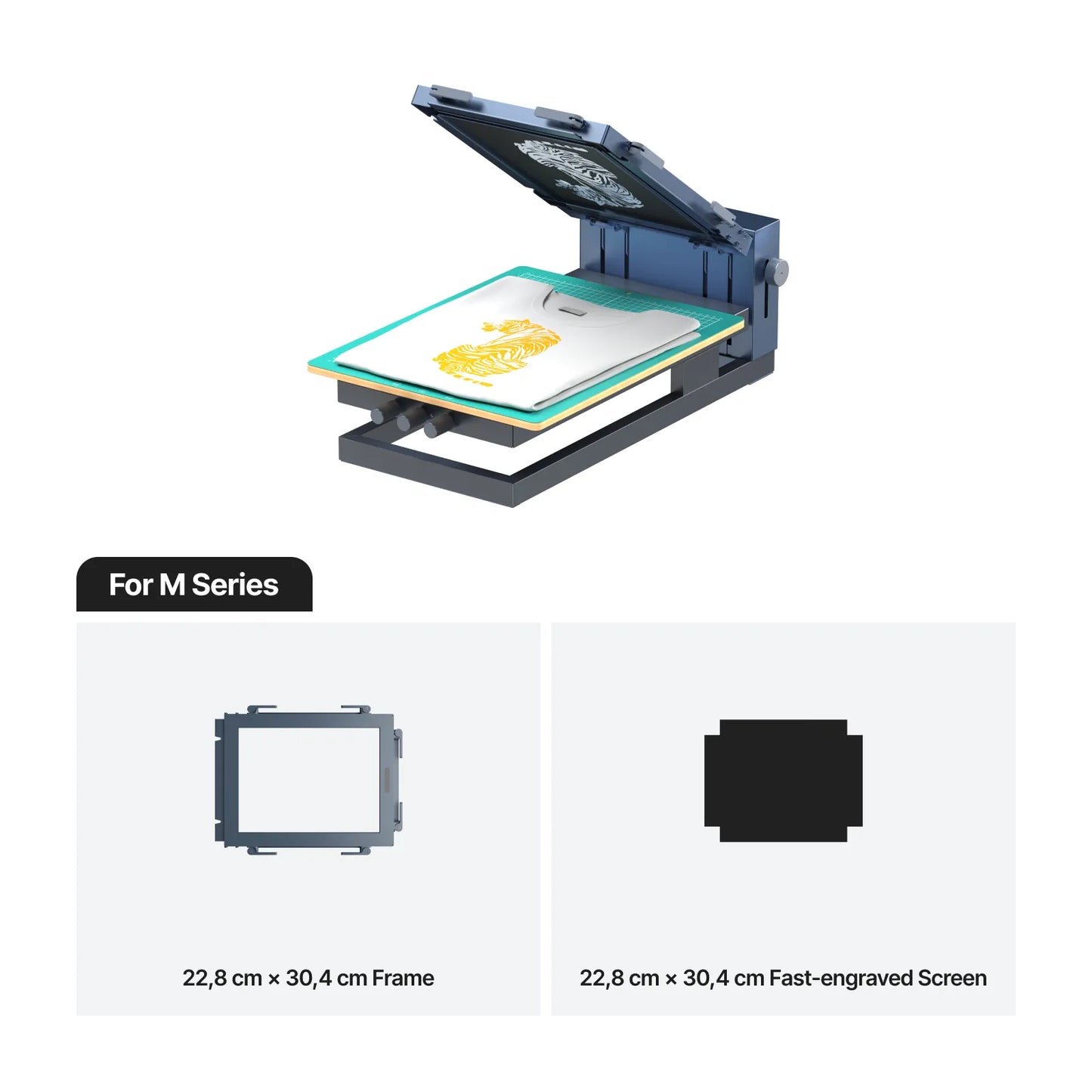
Laser & Screen Printing : Revolutionary One-Stop Solution. Compatible with S1, D1Pro, D1, P2, M1, M1 Ultra, F1 Ultra
Version
Basic Kit
Package
For P/F/S Series


For M Series
Couldn't load pickup availability
Payment & Security


Είμαστε εδώ για να βοηθήσουμε
Αν έχετε ερωτήσεις για κάποιο προϊόν, αν χρειάζεστε προσφορά χονδρικής, εξειδικευμένη συμβουλευτική ή θέλετε να κλείσετε ραντεβού για demo, η ομάδα μας είναι πάντα στη διάθεση σας


Max Efficiency, Mini Effort


What You See Is What You Print
Unlike traditional methods with manual errors, laser-engraved screens offer unmatched precision, ensuring your print perfectly matches your design.


Intelligent Software, Easy Prints Like a Pro

AI Design
Let AI Help You Design, Graphics Ready to Print
xTool's XCS software offers an AI design tool for screen printing. Just input a few words, and it instantly creates stunning graphics ready for your projects!

One-Click Color Separation
Multi-Color Print Made Easy
With just one click, you can easily separate colors in multi-color designs. This makes getting ready to print a breeze and is perfect for large color block patterns.

Auto CMYK Separation
4 Colors Recreate Any Design
Software automatically breaks images into four basic printing colors: Cyan, Magenta, Yellow, and Black. With just four colors, you can replicate any design, ideal for complex prints like photos.

Halftone Filters
Simplify Halftone Art, Just One Click
Traditional halftone processes require expertise in complex software and time-consuming adjustments. With xTool software, you can create stunning halftone effects in seconds, no design skills needed!
Designed for Simplicity

01
60° Hover Hinge, Minimizing Ink Spillage
This design allows the screen to hover freely within a 60-degree range, preventing ink spillage and keeping the print surface clean. It also enhances usability, making it easy to clean and switch materials.

02
Z-axis AutoPress, Adapting to Varying Heights
Discover unmatched convenience with xTool's piston-driven Z-axis auto-press, allowing you to print on objects up to 60mm thick. Easily adjust the height without extra steps when switching between materials!

03
Magnetic Squeegee Design, Fuss-Free Placement
Ensure a safe squeegee attachment to the machine after every use, avoiding potential damage to your creations from ink spatter with the xTool’s magnetic squeegee design.

04
3-axis Micro Registration, Micro-Adjust for Perfect Prints
The 3-axis micro registration system, with X, Y, and Z axes working together, provides micron-level precision in horizontal and vertical alignment. It ensures perfect alignment for multi-color and overprinting, significantly reducing waste from misalignment.
Συχνές Ερωτήσεις
How can I achieve multi-color printing?
The machine comes with one screen frame, a screen, and a bottle of black ink, which is not enough for multi-color printing. To print in multiple colors, you will need additional screen frames, screens, inks, and a frame fixing piece. Once you have these extra accessories, you can easily create multi-color prints. For a step-by-step guide, please check our multi-color printing tutorial here.
How to Install the Frame Fixing Piece?
Please check out the frame fixing piece installation guide here.
How can I achieve 1500 reprints with a screen?
You can reprint multiple times before the ink dries. To ensure perfect prints and extend the screen's lifespan to 1500 reprints, you must clean the screen before the ink dries.
What materials can we print with the xTool screen printer?
Theoretically, screen printing can be done on all materials except air and water. However, based on our precision requirements and our ink characteristics, we recommend paper, fabric, silk, wood, acrylic, metal, glass, and ceramics. These materials have been thoroughly tested, but you can also try other materials and find the best settings. Shop materials here.