

xTool M1 Ultra The World's First 4-in-1 Craft Machine
Η τιμή δεν περιλαμβάνει ΦΠΑ. Ο ΦΠΑ υπολογίζεται στο ταμείο.
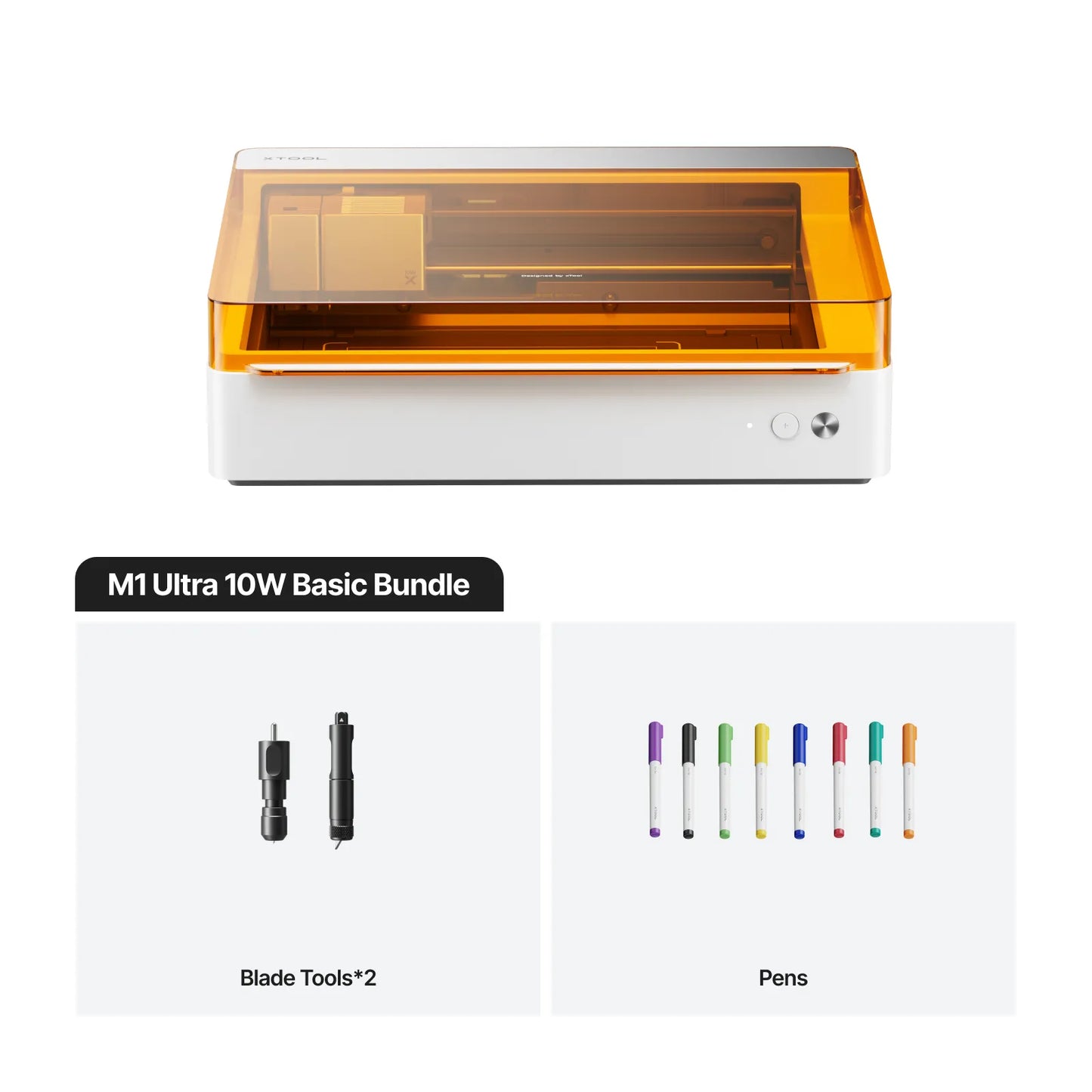
The xTool M1 Ultra is a 4-in-1 solution with laser, inkjet, blade, and pen modules, offering 9 processing methods for gifts, home décor, and more. Capable of handling over 1000 materials, it features 3-Second Easy Swap™ for smooth multitasking and boosts efficiency by maximizing space up to 60%.
Power
20W
10W
Package
Advanced Bundle
Deluxe Bundle
SafetyPro™ Bundle
Δεν ήταν δυνατή η φόρτωση της διαθεσιμότητας παραλαβής

Payment & Security


Είμαστε εδώ για να βοηθήσουμε
Αν έχετε ερωτήσεις για κάποιο προϊόν, αν χρειάζεστε προσφορά χονδρικής, εξειδικευμένη συμβουλευτική ή θέλετε να κλείσετε ραντεβού για demo, η ομάδα μας είναι πάντα στη διάθεση σας
Why xTool M1 Ultra is the Best Choice?


The Ultimate 4-in-1 Craft & DIY Machine
It's a laser machine, a die cutting machine, a printer, and a drawing robot. A one-stop studio that meets almost all crafting needs. You can do pretty much anything with a single device!
-

Diode Laser for Engraving and Cutting
-

Versatile Tools for Cutting and Foiling
-

Vivid Ink for Colorful Printing
-

Various Pens for Auto Drawing & Writing


For Occasions All Year Round
Whether you're crafting personalized gifts, designing home decor, or preparing for life's milestones, M1 Ultra is your creative companion for every occasion.


Make Your Next Moment Unforgettable


Smart Combos, Simple Success
3 seconds is all you need to switch processes with Easy Swap™ Design. No more jumping to devices - get your work done with ultimate efficiency and precision.

10x More Accurate Than Single-Camera
Achieve perfect results with Snapshot Preview and Pin-point Positioning™ system - powerful, 10 times more accurate than the single-camera system, and easy to use.

Zero-Millimeter Accuracy
Pin-point Positioning™ gives you ultra-precise alignment without the distortions that can happen with camera previews. Whether you're working on tiny details or valuable materials, it keeps every process exactly where you want it—never waste a single piece anymore.

Batch Fill with A Snap
Capture the batch objects with your phone camera, and watch the software auto-populate perfect layouts in one click. Complete dozens of your designs effortlessly!

Any Shape Mastered
Multiple irregular shapes for unique projects? No more tedious one-by-one setups, map them all at once with your phone!

Snap It, Preview It
Snap pics on your phone, poof! They're in the app, ready to edit. See exactly what you're working with and total precision for amazing edits.
Every Detail Matters for a Better Experience


Specifications
Buy NowProcessing Capacity
| Laser Type | 20W/10W Diode Laser |
| Processing Mode | Laser Cutting | Laser Engraving | Inkjet Printing | Blade Cutting | Foiling |
| Laser Cuttable | Wood, Opaque Acrylic, Paper, MDF, Leather |
| Blade Cuttable | Paper Cardstock, Vinyl, PVC, Leather |
| Laser Engravable | Wood, Opaque Acrylic, Leather, Stainless Steel, Plated Metal |
| Inkjet Printable | Paper, Cardstock, Wood, Canvas, Acrylic |
| Working Area | Laser Mode/Blade Mode/Pen Mode: 300 mm x 300 mm | 295 mm x 295 mm for cutting blade | Inkjet Mode: 296 mm x 286 mm |
| Max. Working Speed | 400 mm/s |
| Max. Laser Cutting Capacity (Basswood) | 20W: 10 mm in ONE PASS | 10W: 6 mm in ONE PASS |
| Max. Laser Cutting Capacity (Acrylic) | 20W: 8 mm in ONE PASS | 10W: 5 mm in ONE PASS |
| Max. Blade Cutting Capacity | Fine-point Blade: 1.5 mm |\ Cutting Blade: 2.5 mm |
| Max. Processing Height | Laser Mode: With Riser Base: 125 mm Without Riser Base: 27 mm | Inkjet Mode/Pen Mode/Blade Mode (Foiling): With Riser Base: 138 mm Without Riser Base: 20 mm |
| Max. Rotary Engraving Diameter | With Riser Base: 0-99 mm |
Smart Software
| Supported Software | xTool Creative Space |
| Operating System | Android/iOS/iPad/Windows/macOS |
| Connection Method | USB/Wi-Fi/IP |
| Supported Files | SVG/DXF/JPG/JPEG/PNG/BMP/TIF |
| AImake Compatibility | Yes |
Easy Operation
| Pre-assembled | Yes |
| Built-in Camera | No |
| Positioning Method | Pin-Point™ Positioning |
| Focus Mode | Autofocus |
Accuracy & Precision
| Laser Spot Size | 10W Diode Laser: 0.04 mm × 0.06 mm | 20W Diode Laser: 0.06 mm × 0.08 mm |
| Positioning Precision | 0.02 mm |
| Ranging Precision | 0.1 mm, Probe |
| Image Resolution | N/A |
| Motion Accuracy | 0.01 mm |
General Information
| Safety Certification | Class 1 Laser Safety (TÜV SÜD Certified) |
| Product Dimensions | 620 mm x 498 mm x 178 mm |
| Product Weight | 17 kg |
| Max. Machine Input Power | 200 W |
| Power Adapter Input Voltage | 100 V - 240 V ~ AC 50/60 Hz |
Συχνές Ερωτήσεις
What materials can M1 Ultra support?
The M1 Ultra has 4 modes and 9 processing methods, supporting over 1,000 materials.
- Laser Mode: Wood, leather, MDF, coated Acrylic for engraving, electroplated metal, painted metal, coated glass, ceramic, marble, and more.
- Blade Mode: Vinyl (for blade mode only), paper, leather, felt, fabrics, and more.
- Inkjet Mode: Wood, coated acrylic, canvas, fabrics, printing paper, and more.
- Pen Mode: Paper, ceramic, and more.
What is the difference between M1 Ultra and S1?
Both the xTool M1 Ultra and S1 are Class 1 safety machines designed with robust expandability. Both are compatible with the RA2 Pro for rotary projects and support laser screen printing, offering even more creative potential.
- Choose the M1 Ultra if you love DIY crafting and want a versatile machine that saves space, boosts efficiency, and handles a wide variety of creative tasks and materials.
- Choose the S1 if you’re focused on laser engraving and cutting, need a larger workspace for bigger projects, and require efficient batch processing.
The S1 is a laser engraver with versatile power options, including 10W, 20W, and 40W (for thicker cutting), as well as 2W IR (for all metal engraving). On the other hand, the M1 Ultra is a 4-in-1 multifunctional craft machine that combines Laser (10W and 20W), Inkjet, Blade, and Pen modules for even more creative possibilities. The S1 offers a larger working area of 19.6" x 13" (498mm x 330mm), which can be extended up to 118 inches with an optional conveyor accessory, providing more space than the M1 Ultra’s 11.81" x 11.81" (300mm x 300mm). The S1 also operates at a higher speed, reaching up to 600mm/s, compared to the M1 Ultra’s 400mm/s. This makes the S1 ideal for creating large door signs or managing high-efficiency batch production.However, with its 4-in-1 design, the M1 Ultra offers features that the S1 lacks, such as inkjet printing, fine-point cutting, deep cutting, rotary cutting, foiling, debossing, and drawing & writing. It can process over 1,000 materials—three times more than a single laser module (such as vinyl, which cannot be processed with lasers)—and even pairs with the xTool H1 for heat-press projects, delivering exceptional versatility for crafting.
What materials can the inkjet module print?
It can print on fabrics, boards, printing paper, and other materials. However, it cannot print on very dense or smooth surfaces, such as metal, glass, and ceramics, because the ink cannot penetrate or adhere. These materials can be processed after applying a suitable ink coating.
How can I customize a T-shirt with M1 Ultra?
You can choose either the xTool Screen Printer or the xTool Heat Press to customize a T-shirt.
- xTool Screen Printer: Use the M1 Ultra’s laser mode to engrave the screen template, then transfer ink to the T-shirt. Ideal for creating colorful art and simple designs.
- xTool Heat Press: Use the M1 Ultra’s blade mode to cut vinyl into patterns, then transfer the design to the T-shirt using heat and pressure. Suitable for HTV, sublimation, and DTF transfers, and can handle more intricate patterns.
How can I customize a tumbler with M1 Ultra?
You can use the RA2 Pro to customize a tumbler. If your object is taller than 27 mm(1.06"), the Riser Base will help.
Are the Air Assist and Air Purifier necessary accessories?
If you frequently use laser mode, choosing an Air Assist or Air Purifier will enhance your laser experience.
- Air Assist: Helps clear dust during high-power cutting for cleaner edges and finishes.
- SafetyPro™ AP2 Air Purifier: Ideal for indoor use, efficiently purifying the air and removing odors.