

xTool Apparel Printer Plus : One Click DTF Printer, Effortless Customization for Business
Η τιμή δεν περιλαμβάνει ΦΠΑ. Ο ΦΠΑ υπολογίζεται στο ταμείο.
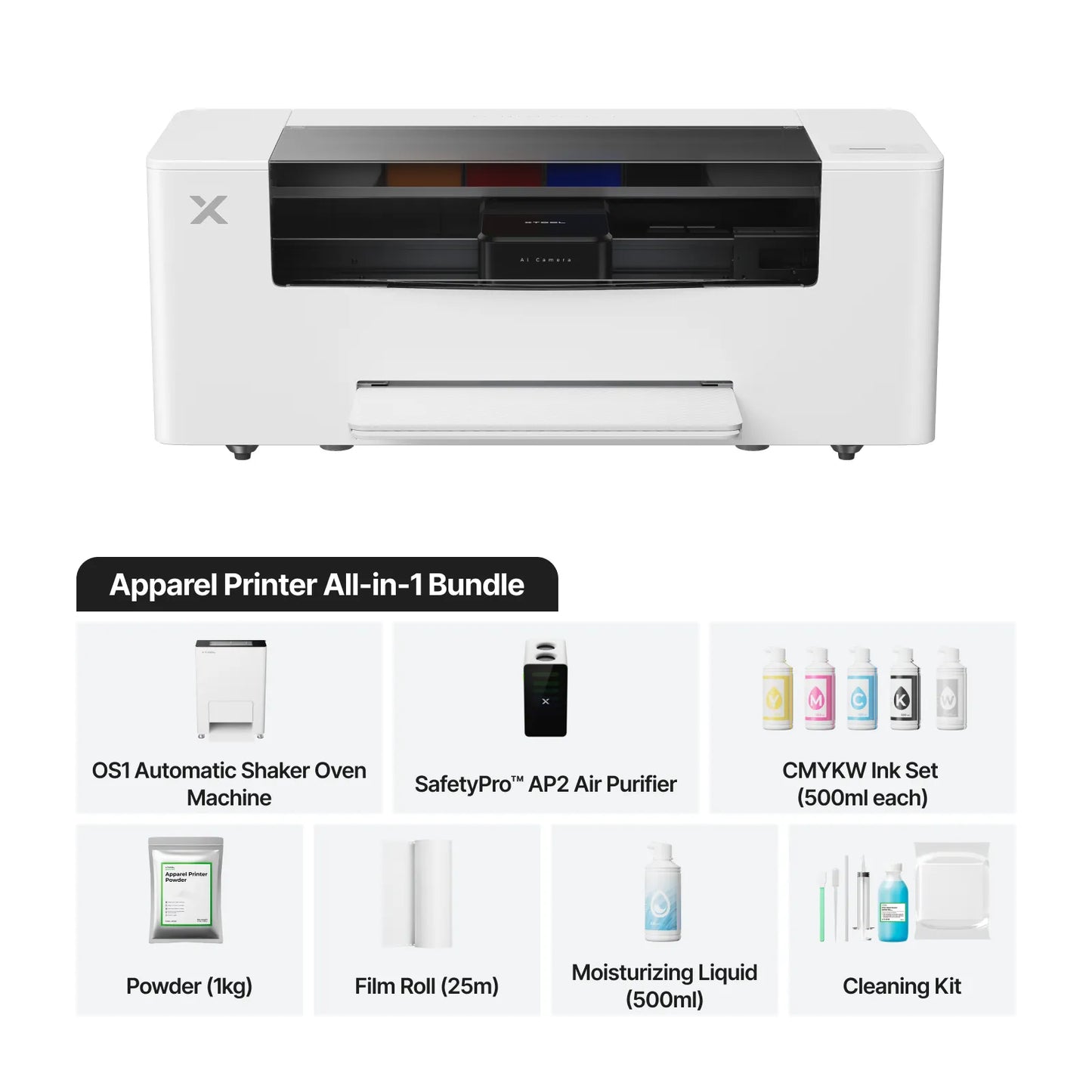
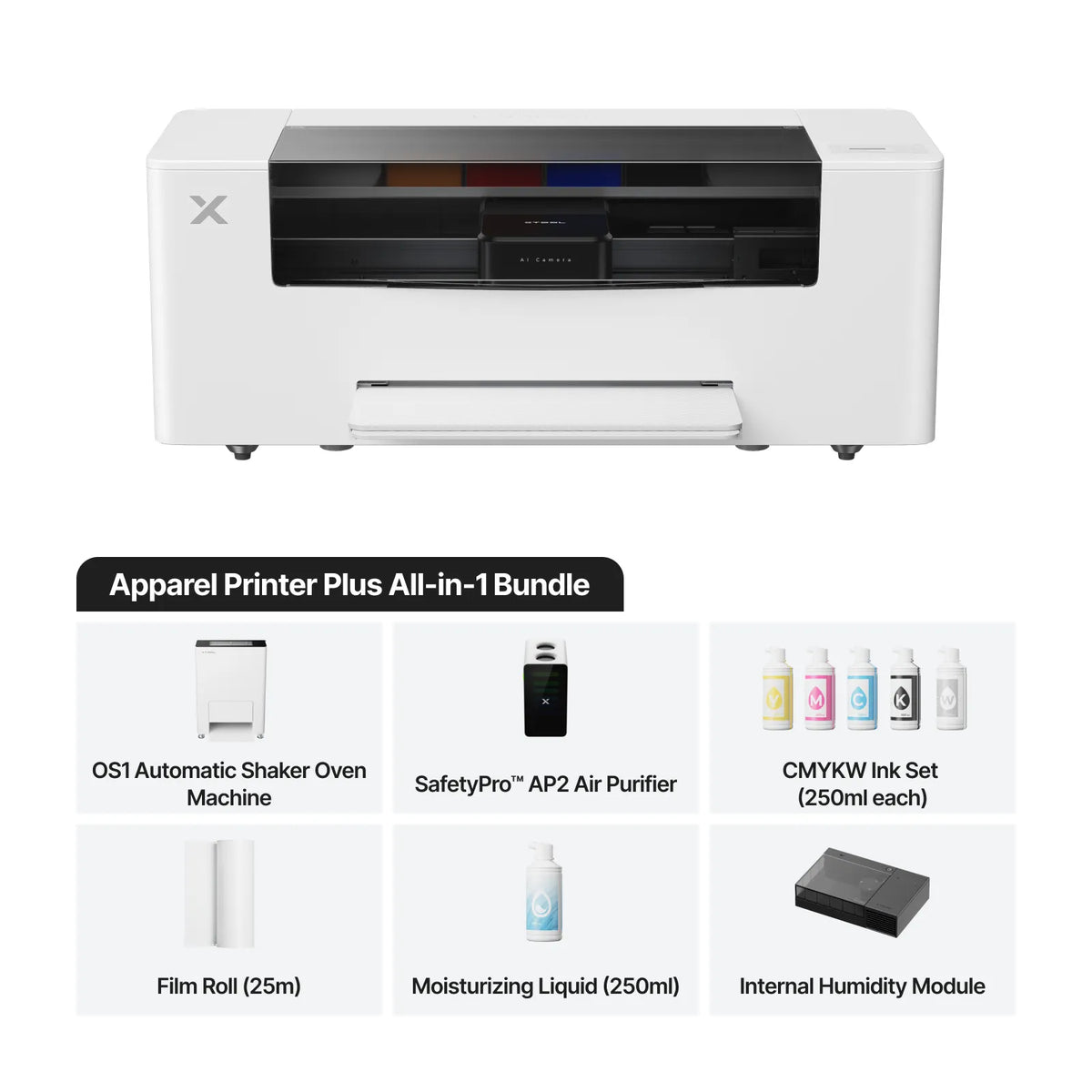
The xTool Apparel Printer delivers stunning designs on all colored fabrics with a fully automated one-click workflow—print, powder, apply, and bake (with the xTool shaker oven). Featuring 24/7 self-maintenance, dual Epson I1600 printheads, and G7-certified color accuracy, it ensures commercial-grade results. With support for Mac/Win, a 35cm print width, and speeds up to 50 sq ft/hr, it maximizes productivity for apparel businesses.
Package
Standalone
Versatile Bundle
All-In-One Bundle
Δεν ήταν δυνατή η φόρτωση της διαθεσιμότητας παραλαβής

Payment & Security



Είμαστε εδώ για να βοηθήσουμε
Αν έχετε ερωτήσεις για κάποιο προϊόν, αν χρειάζεστε προσφορά χονδρικής, εξειδικευμένη συμβουλευτική ή θέλετε να κλείσετε ραντεβού για demo, η ομάδα μας είναι πάντα στη διάθεση σας


Unlock the 1-Hour Print & Bake Potential

Industry's Latest Dual Print Head Technology
G7 certification represents the best practices for color consistency and accuracy in printers.
The xTool Apparel Printer ensures consistent prints on all fabrics by precisely controlling the gray balance and tonality. We've invested two years in calibrating the G7 Certified color curve, guaranteeing accurate color reproduction and reducing the need for frequent adjustments.
Excel in Every Aspect
This exceptional level of detail is made possible by the Epson I1600 printheads, which feature a high-density array (NPI 300) of nozzles with ultra-fine ink drops (3.8 pL).
Sharp and Detailed Prints
Calibrated to the G7 Certified color curve, the xTool Apparel Printer ensures the colors on your screen are accurately reproduced.
Smooth Color Layering
Smooth gradation is ensured by Epson’s Variable Sized Droplet Technology (VSDT), which freely controls droplet volume.
Accurate Color Reproduction
Calibrated to the G7 Certified color curve, the xTool Apparel Printer ensures the colors on your screen are accurately reproduced.


SmartCycle™ Maintenance System Guards Your Machine 24/7
With full lifecycle automatic maintenance, your printer stays in optimal condition whenever it is plugged in. Utilizing usage data, internal humidity, and other real-time machine metrics, the system automatically activates maintenance, minimizing print head clogs and ensuring consistent, high-quality printing.

Auto Printheads Moisturizing
Exclusive to high-end machines, routine moisturizing liquid injection maintains print head moisture, reducing clogs and extending standby time.

Auto White Ink Circulation
To prevent ink sedimentation, white ink circulation and in-tank stirring are activated during printing and in hourly cycles while on standby, ensuring consistent ink flow.

Auto Printheads Cleaning
The xTool Apparel Printer cleans the printhead by applying pressure within a sealed chamber to remove residual ink and impurities, effectively preventing clogging.

Professional-Grade Calibration in Just a Few Clicks
With a 16MP AI camera and intelligent recognition, automatic print head calibration eliminates the need for tedious manual adjustments. This ensures accurate reproduction of designs and colors, preventing color overlap and image distortion
Routine Nozzle Clogging Check and Compensation
The printer performs regular checks on the nozzles by printing test patterns. Our AI camera then analyzes the output and initiates print head cleaning to resolve any issues. If a nozzle remains clogged after cleaning, the printer automatically compensates with unclogged nozzles during printing, ensuring print quality and extending the lifespan of the printhead.

All-in-One Software,Print with Ease
Compatible with both Windows and Mac, xTool Creative Space makes apparel printing as simple as drag-and-print.
Mockup
Directly adjust design dimensions on the apparel mockup, eliminating the need for manual measurements.
Auto RIP Image Conversion
No more time spent on manual conversion. Just hit print—our software automatically converts images in the background while you print.
Smart Nesting
Intelligent layout arrangement saves time and maximizes material efficiency.
AI Restore Images
Revitalize blurry images with AI-powered enhancement. Our software sharpens and refines visuals, delivering crystal-clear prints.
AI Generate Images
No design? No problem! Transform your ideas into printable designs in just a few steps.
Cost Calculation
Effortlessly track costs for every print with one click.
Specifications
Buy NowProduct Dimensions
| Printer Solo Size | 905 mm x 365 mm x 356.5 mm |
| Printer Solo Weight | 34 kg |
| Print Width | 356 mm |
| Maximum Print Area | 356mm x 460mm |
Printing Capabilities
| Materials Application | All fabrics, including cotton, polyester, denim, canvas, spandex, nylon, and more |
| Print Head | Epson I1600 Dual Print Head |
| Printing Resolution | 720 x 1800 DPI |
| Minimum Ink Drop Size | 3,8 pL |
| Printing Speed | Up to 50 sq ft/hr (720×1200 DPI) |
| Printing Mode | Single Sheet-Fed & Roll-Fed |
| Printing Color | CMJN+BBBB |
| Printing Mode | |
| Printing Color |
Software and Maintenance
| Supported Software | xTool Creative Space (Includes AI-Powered Design Generator, RIP, Auto Nesting, Printing Layout, Machine Control, and more) |
| Software Compatibility | Mac, Windows Supported |
| Calibration | AI 16MP Camera Auto Calibration |
| Maintenance | Auto Printheads Cleaning, Auto Ink Stir and Circulation / WIMS (White Ink Management System), Auto Refill Printheads Moisturizer, App Remote Monitoring |
General
| Printer Voltage | AC 220V-240V |
| Printer Frequency | 50 Hz / 60 Hz |
| Printer Power Consumption: | 350W |
| Printer Sleep Mode Power Consumption | 23.5W, approximately 0.5 kWh per day |
| Operating Temperature | 15-30°C (20-30°C Recommended) |
| Operating Humidity | 30%-80% RH (50%-80% RH Recommended) |
Συχνές Ερωτήσεις
What types of printing technology does the xTool Apparel Printer use?
The xTool Apparel Printer is based on DTF (Direct-to-Film) printing technology, but we’ve enhanced its features to make it more efficient and beginner-friendly. The printer is fully integrated with a baking system, automating processes like powder application, shaking, and curing that traditional DTF printers require. With just one click, the system processes and bakes your design within 8 minutes. All you need to do is heat-press the printed film onto any fabric.ㅤ
ㅤ
Additionally, we’ve streamlined the software, so you can manage everything—from design to printing—within one program, eliminating the need for 3–5 separate tools typically required by traditional DTF printers.
What are the advantages of the xTool Apparel Printer compared to screen printing and sublimation?
Compared to screen printing, the xTool Apparel Printer is better suited for personalized designs. It supports multi-color and complex patterns in a single print, achieving higher clarity and complexity than traditional screen printing. Plus, there’s virtually no need for manual cleaning after printing, thanks to its fully automated maintenance system, which greatly enhances efficiency and convenience.
ㅤ
Unlike sublimation, which only works on light-colored polyester fabrics, the xTool Apparel Printer is compatible with all types and colors of fabrics. It performs especially well on the two most common clothing materials—cotton and polyester—ensuring vibrant and long-lasting designs that withstand multiple washes without fading.
Is the printer difficult to maintain?
Not at all. The xTool Apparel Printer features fully automated lifecycle maintenance, meaning most of the time it requires no manual intervention. As long as the printer remains plugged in, it continuously monitors internal humidity and temperature to automatically trigger printhead cleaning and white ink circulation, reducing the risk of clogging.
ㅤ
You can also monitor key metrics via our mobile app, which provides real-time updates. If an issue arises that the printer cannot resolve on its own, the app will alert you with specific instructions to address the problem.
What is the warranty for the Apparel Printer? How to extend the print head warranty to 6 months?
Our printers and shaker ovens come with a standard warranty of 12 months for most regions. Due to European legal requirements, the warranty period in Europe is extended to 24 months. As for the print heads, the warranty covers a single print head for a period of one month across all regions.
ㅤ
To extend your print head warranty to 6 months, please follow these steps :
ㅤ
- Use Official Consumables: You must use xTool's official consumables to qualify for the extended warranty.
- Complete Online Training: Participate in our online video training course to gain a basic understanding of the product's operation and knowledge.
- Pass the Quiz: After the training, you'll need to take and pass a quiz to ensure you have a clear understanding of the product's operation and troubleshooting.
- The details of the online training content and quiz questions will be sent to you via email before you receive your shipment.
ㅤ
Please stay tuned to our Facebook group for further details and rules regarding this offer.
Is the film sold by xTool hot peel or cold peel? Will this affect my workflow efficiency?
The film sold by xTool is hot peel (but we prefer to call it warm peel.). Peeling at high temperatures can sometimes mean the adhesive powder is still above 110°C and has not fully solidified. However, it does not require cooling to room temperature before peeling, significantly enhancing your workflow efficiency for commercial use.
Can third-party ink and printing film be used?
We do not recommend using third-party ink as there is a risk of clogging the printhead. However, if you are not using our baking machine, third-party printing film can be used, as long as you manually shake the powder and bake it. If you're using the OS1 Shaker Oven Machine, third-party printing film cannot be used.
If I purchase the Apparel Printer, will I get a discount if I also want to buy the xTool AP2?
Yes, you can bring your Kickstarter purchase proof to xTool's official support team, and we will offer you the opportunity to purchase the AP2 for $699 USD.
Is the xTool Apparel Printer compatible with all fabrics? Can prints be washed?
Yes, the printer is compatible with all types of fabrics. It performs exceptionally well on cotton and polyester, with prints that can withstand 50–100 washes while maintaining their integrity and vibrant colors.
What is the cost to print a T-Shirt?
The cost of printing an A3-sized film, including the roll material, ink, and hot melt powder, is about €0.8. Purchasing a plain bulk T-shirt typically costs €3-5. In total, the cost is around €4-6 per shirt. In Europe, the average selling price of a T-shirt ranges from €20-€40, leaving you with a profit margin of €14-€36 per shirt.
What should the temperature setting for OS1 be? Is preheating required? How long should it be preheated?
It is recommended to set the temperature to approximately 110°C (which is 230°F).
Additionally, it is recommended that you preheat before use, which can be done on the printer's control panel. It is suggested that you preheat for about 20 minutes (although you can still use it without preheating, the curing effect may not reach the optimal state).
How should the film be press? Is it necessary to press twice?
We suggest pressing at least twice, which helps to increase the durability and meet the requirements for more wash cycles (with a pressure greater than 0.7mpa). Place the fabric on the machine's heat press surface and preheat for 6 seconds.
ㅤ
The first press should be at 160°C (which is 320°F) for 6 seconds. After pressing, move the fabric to a cooler area to cool for about 10-20 seconds, then peel off the film. We recommend doing this quickly.
ㅤ
For the second press, place the pattern back on the same area and use the same heat press parameters (160°C/6S) to press again; try to place it in the middle area of the heat press machine.
ㅤ
If the pattern area is large, to ensure the quality of the finished product, we recommend a third press. You can place the top and bottom areas in the middle area of the heat press machine and re-press each with the same parameters (160°C/6S).
Is the Apparel Printer compatible with IF2 ?
We do not recommend using IF2 as an exhaust fan for the xTool Apparel Printer. The exhaust fumes from the apparel printers contain glycerin, which can adversely affect the IF2's motor over time and lead to a reduced lifespan.